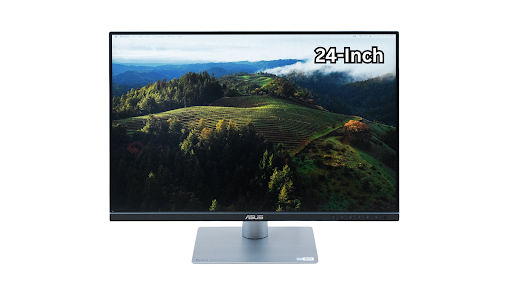
Many users use various application windows, full-screen documents, documents with many tabs, emails, spreadsheets, and videos on a daily basis. It takes time and effort to move the cursor between windows, reorganize toolbars and navigation panels, and search and find the data you need. As a result, professional people, from freelancers to experienced managers or employers, often upgrade to an additional monitor in order to be more efficient and increase their productivity.
In this comparison, we will look at how a 24-inch monitor can affect your workflow efficiency, as well as compare it to other screens sizes.
Table: Features and Benefits of 24-Inch Monitor
| Feature | Benefit | Practical Example |
| Increased Screen Real Estate | More space for multiple windows, applications, and toolbars simultaneously | A designer can keep Photoshop, Illustrator, and reference images open at once without constantly switching tabs |
| Higher Resolution Options | Many 24-inch monitors come in 4K resolution | Enables sharper text, detailed graphics, and better visibility of complex spreadsheets |
| Enhanced Multitasking | Users can arrange side-by-side windows | A programmer can code on one side while testing applications on the other |
| Reduced Eye Strain | Larger text and icons decrease the need to squint or zoom | Working for longer periods without fatigue improves overall productivity |
| Portable Options Available | 24-inch portable monitor 4K and portable monitor with battery models offer mobility | Professionals who travel can maintain an extended workspace anywhere |
| Better Media & Graphics Experience | Larger screens improve video editing, graphic design, and entertainment workflows | Video editors can view timelines with greater clarity and color accuracy |
| Improved Collaboration | Easier to share screens during team meetings or presentations | Participants can view documents without crowding around a small laptop screen |
How Extra Screen Space on 24-Inch Monitor Helps with Workflow Efficiency
- Multitasking made simple
Extra space for multitasking. All the needed applications can be open next to each other, without overlapping, instead of constantly switching between browser tabs, email clients, spreadsheets, and design tools. The result is that a user is able to maintain focus on all the necessary workloads at once. For example, a project manager will be able to track a timeline while chatting with the team.
- Tools and panels are much better organized
Creative and multimedia workloads are extremely demanding in terms of screen real estate. If you are using any graphics or video editing software, for example, there will be a need for numerous toolbars, layers and adjustments panels, navigation arrows, playback controls, etc. Using a 24-inch monitor, one will be able to place the necessary tools in a very logical way in order to have them all be readily accessible while still providing the most canvas area to work with.
- Cognitive load is decreased
Constantly having to switch from one window to another, and minimizing and maximizing certain applications will increase one’s mental load. However, with a 24-inch screen, everything can be arranged in the most logical way possible to reduce this impact on the user. Better workflows and more uninterrupted focus will be achieved as a result.
- Text and image quality is improved
The display of a 24-inch 4K monitor is extremely sharp. Text is much more legible, and if you need to work with any media elements or high-resolution graphic design projects, it will display them with greater detail as well. All in all, this leads to a reduction of errors, faster time for completing certain tasks and, of course, an increased level of productivity.
- Secondary monitors are much better
If you already have a laptop or any other monitor at your workspace, having a 24-inch portable monitor with battery and 24 inch portable monitor 4K are great options. They can be attached to the setup and instantly double the screen real estate available to a user. At the same time, using these types of monitors will also provide greater mobility, as they are battery-powered and do not need a permanent docking point.
- Workflows for professionals are significantly enhanced
- Developers, for example, are able to view code, debugging tools and application previews all at the same time in a much more efficient manner.
- Designers can work on their projects with maximum resolution available and still be able to have reference images and color palettes open while working.
- Writers and researchers can view sources on one side of the screen while working on the text on the other side.
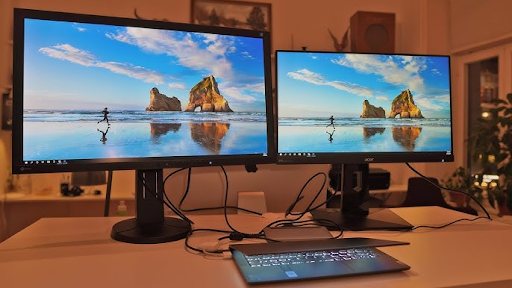
Comparison: 24-Inch Monitor vs. 23-Inch Monitor vs. Smaller Monitors
| Aspect | 23-Inch Monitor | 24-Inch Monitor | Smaller Monitors (18-22 Inch) |
| Screen Space | Slightly less | More space for multitasking | Limited, frequent window switching |
| Resolution Options | Full HD, some 4K | Full HD to 4K | Mostly Full HD, rarely 4K |
| Portability | Some portable models | 24-inch portable monitor 4K, portable monitor with battery | Highly portable, very compact |
| Comfort | Moderate | Better for long work sessions | May cause eye strain |
| Workflow Efficiency | Good | Excellent | Average, suited for basic tasks |
In most cases, a 23 inch monitor is not quite enough when it comes to getting optimal productivity. At the same time, it should be noted that the jump from a 23-inch to a 24-inch display can provide users with a major improvement in window and tab management. An extra inch may not look like much, but it can provide much more room and comfort when working with multiple documents at once. When combined with the higher resolution capabilities that the 24-inch monitors have, productivity and reduced cognitive load are sure to increase.
Real World Examples
- Financial analysts, who work a lot with spreadsheets, are another group of professionals who benefit from the extra horizontal and vertical space. The ability to view multiple charts, data sets and financial reports at the same time without having to minimize and maximize certain windows saves time, and as a result, improves decision-making accuracy.
- Editors and video creators are able to work with video timelines and preview windows side-by-side without additional equipment. Designers, on the other hand, can easily keep reference mood boards, color palettes and even specific assets open without having to constantly switch between browser tabs.
- For software developers, it is now possible to run IDEs, terminal windows, and browser previews all at the same time in such a manner that the work will be much more efficient. There will be no need for constant alt-tabbing which, when accumulated over a longer period of time, will end up taking a noticeable toll.
- Remote workers who often have to combine a laptop with temporary workspaces are able to achieve the same desktop computer-like experience with two monitors by using dual-monitor docking with a 24-inch portable monitor with battery or a 24-inch portable monitor 4K. Video calls can run on one screen, while task management and content consumption, as well as note-taking, can be done on the other.
Frequently Asked Questions (FAQs)
Q1: Is a 24-inch monitor too big for my desk?
A: No, a 24-inch monitor is not too big for most desks. In fact, it’s one of the most popular sizes as it provides a good balance between screen size and desk space.
Q2: Does a 4K resolution on a 24-inch monitor make a difference?
A: Yes, it does! 4K resolution on a 24-inch monitor will give you sharper text, more detailed images, and a more enjoyable overall viewing experience. It also means you can have more windows open at once without losing clarity.
Q3: Can I use a 24-inch monitor as a portable option?
A: Yes, you can use a 24-inch portable monitor with battery or a 24-inch portable monitor 4K for an extended and flexible workspace while you’re on the go. Just make sure you choose a lightweight and durable model.
Q4: How does a 24-inch monitor compare to a 23-inch monitor?
A: A 24-inch monitor offers more screen space than a 23-inch one. This means you can have more windows open at once and be more productive.
Q5: Is it worth it to invest in a 24-inch monitor for gaming or entertainment purposes?
A: Yes, it is! A 24-inch monitor is perfect for gaming and entertainment as it provides a larger, clearer picture and more room for multitasking.
Q6: Will a 24-inch monitor improve my workflow if I already have a laptop?
A: Yes, adding a 24-inch monitor to your laptop will give you more screen real estate so you can do more things at once. This can be especially helpful if you’re into content creation, graphic design, or web development.
Conclusion
It should be noted that after upgrading to a 24-inch display, be it a 24-inch portable monitor 4K or a portable monitor with battery, one’s workflow and productivity will be positively affected in a way that will be noticeable immediately after the changes have been made. Reduced eye strain, faster task completion time, better focus, and much more organized and less cluttered workloads are just some of the benefits that a user will start to enjoy almost right away.
Even the smallest of differences, such as a single inch between a 23-inch monitor and a 24-inch monitor, can lead to a workspace that is much more efficient and practical to use. After all, in the modern world, every second does matter, and any improvement in the speed with which tasks are completed can make a big difference in terms of overall performance.
Keep an eye for more latest news & updates on Erome!